
Permanent free tier
US$0Enough to learn, practise, and prove the method on your guitar.
- All maintained Fretboard Fluency Lessons
- All three practice modes with natural notes on frets 0–5
- Open Position Mastery
Fretboard fluency, trained on your guitar.
Learn where notes live on the fretboard and connect written notes to your guitar. Practise with short exercises that listen to your real guitar as you play.
Permanent free tier. No card required. Practise with your real guitar.
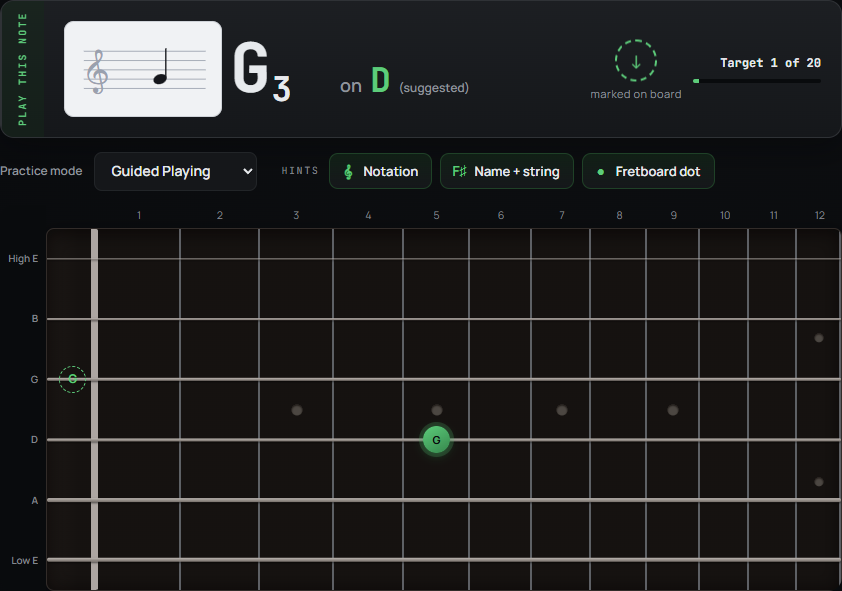
The marker trains the physical jump. Fretboard Recall removes it when you’re ready.
When finding each note takes several seconds, tabs, theory, new shapes and lessons become harder to act on.
The musical idea may make sense while the physical search still breaks the flow.
FretGOAT trains that missing connection until more of the neck feels available when you need it.
See the target. Play it on your guitar. Get immediate pitch feedback. Repeat where you hesitate. Your ongoing Mastery record grows from the practice itself.
See the target.
Play it on your guitar.
Get immediate feedback.
Repeat the weak spots.
Practise the bottleneck, not the whole map.
Fretboard fluency is not one skill. FretGOAT separates three useful layers so you can work on the connection that is currently breaking your flow.
Follow a visible fretboard target and train your hands to move to the right area without a long physical search.
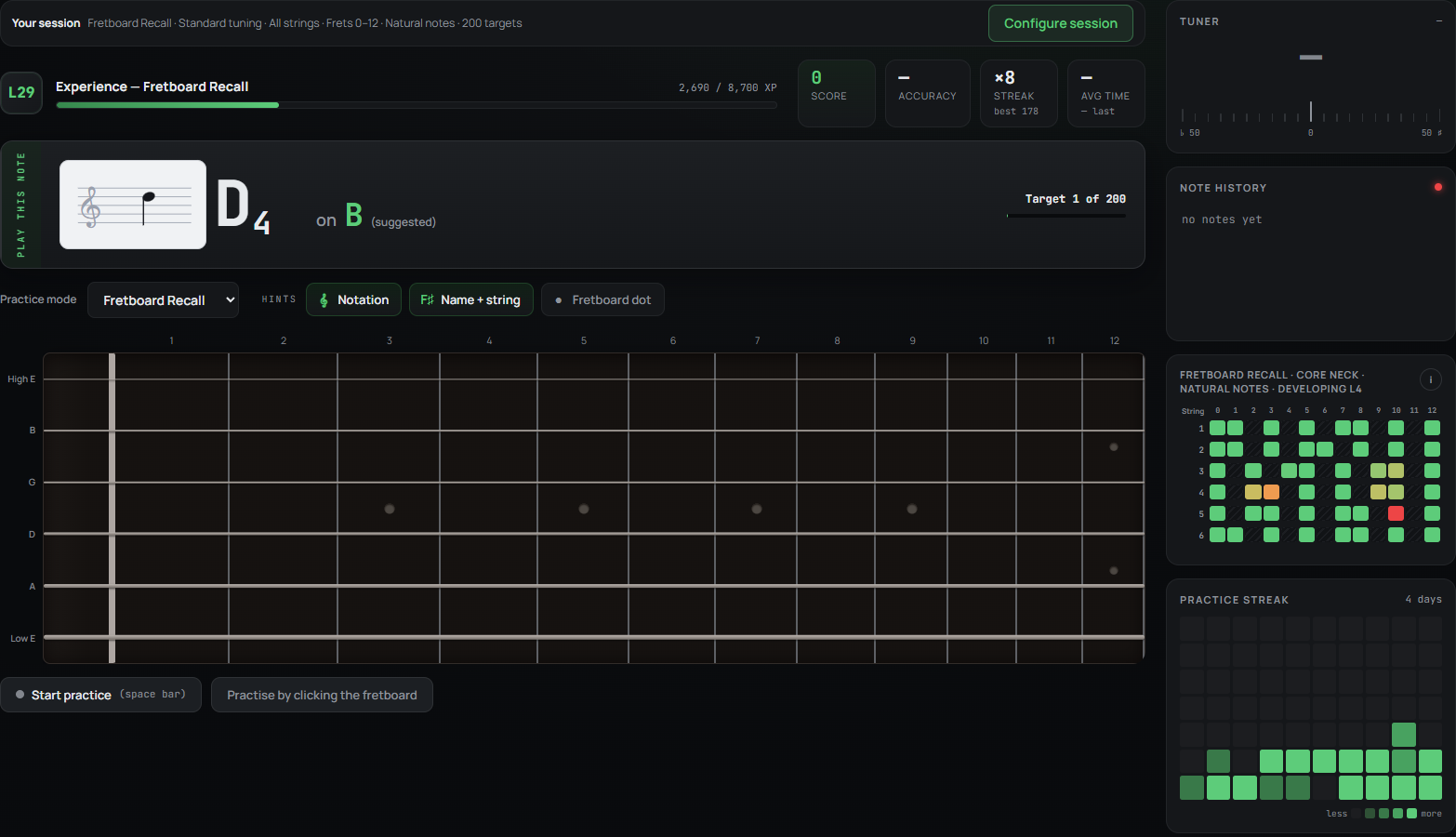
See a note and string, recall its position, and turn note knowledge into a playable response.
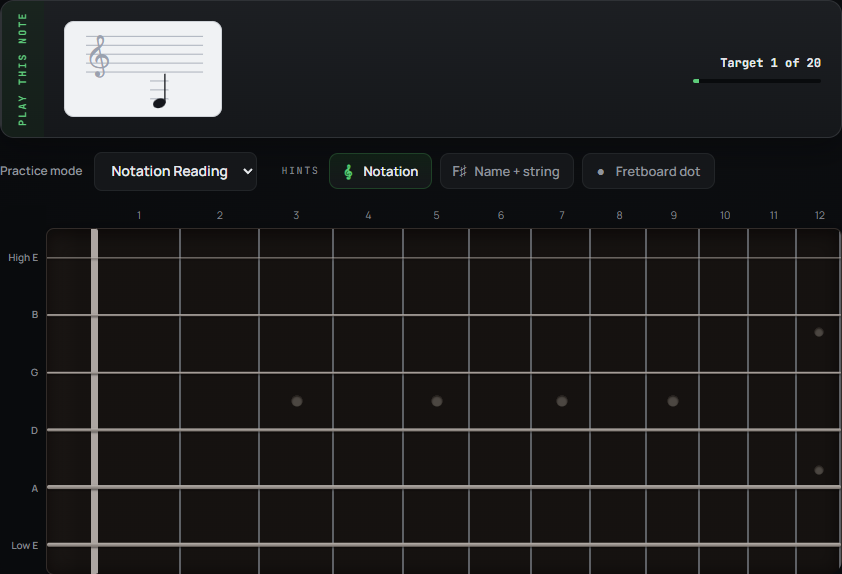
Read a note on the staff, find it on the fretboard, and play it. Build a foundation for sight-reading, one note at a time.
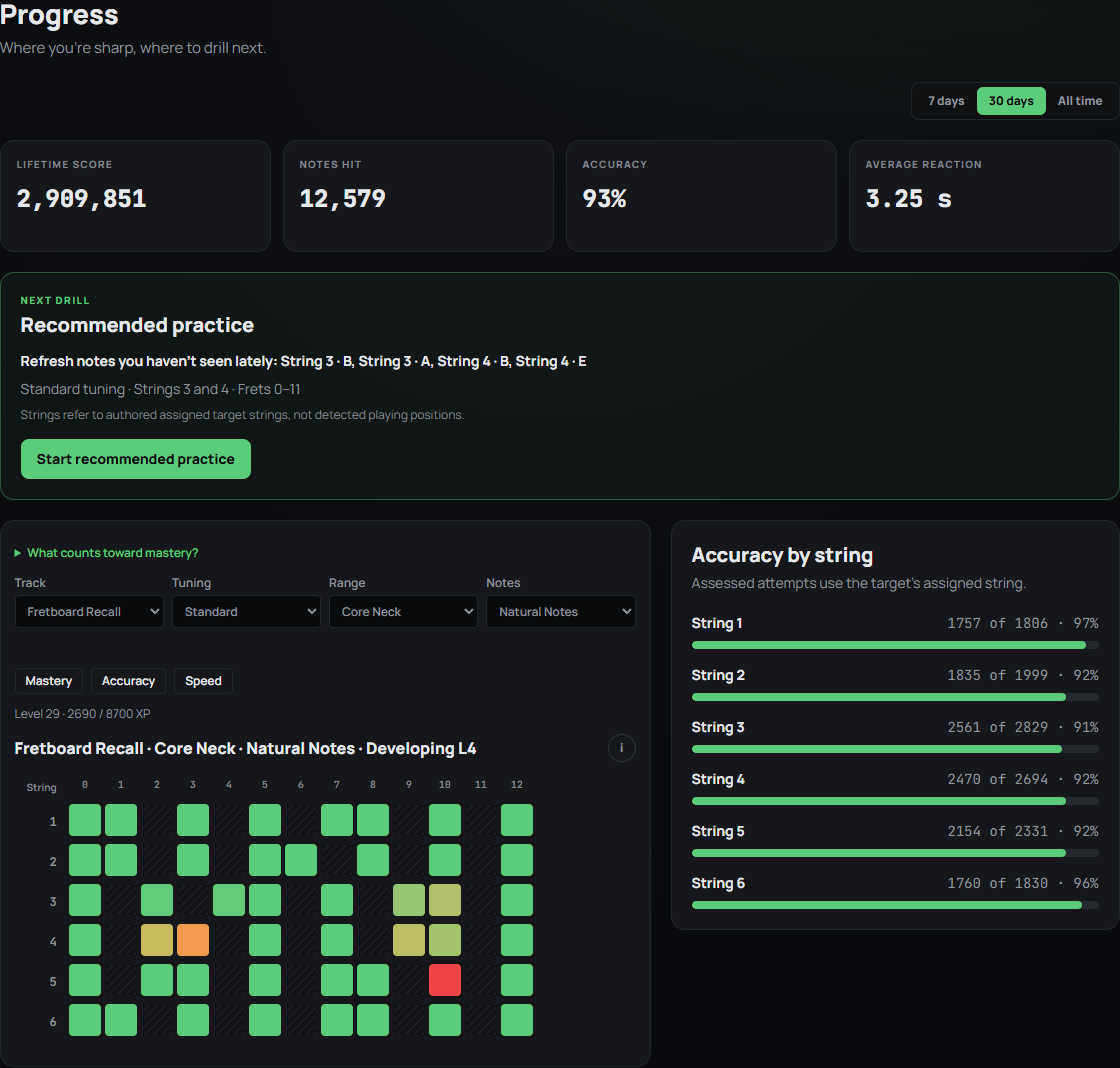
Mastery is an ongoing record of accurate, increasingly fluent practice. It keeps the evidence close to the work instead of interrupting practice with a separate exam.
Begin with Open Position, then extend into Core and Full Neck Mastery as your practice broadens.
Open Position
Core fretboard
Full neck
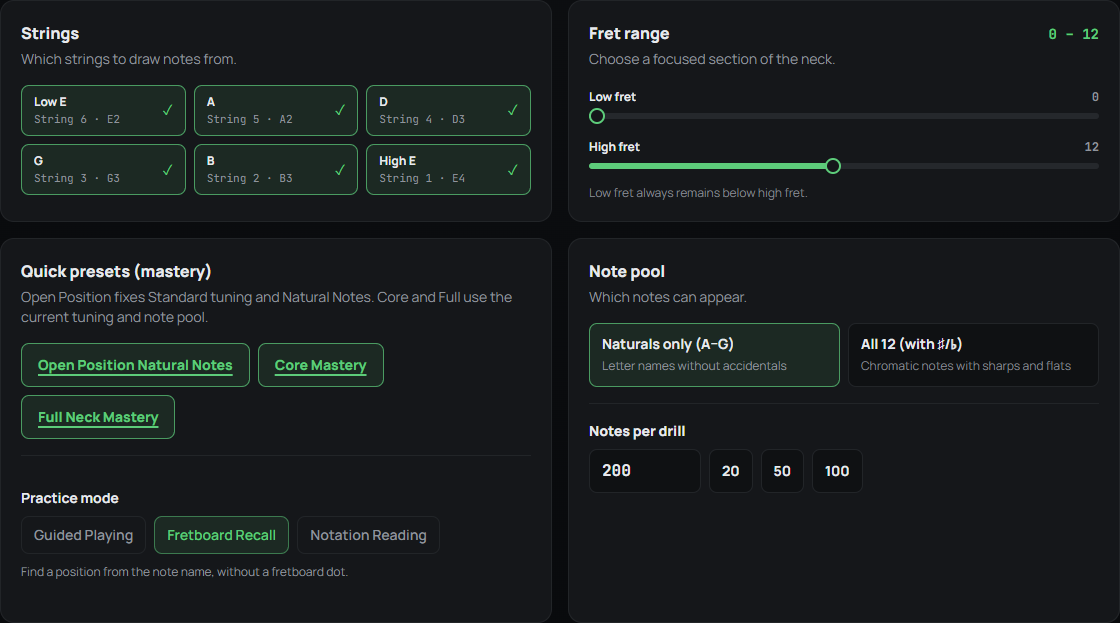
These are current public-beta screens: focused practice on your guitar, controls for choosing what to train, and progress built from the work itself.
Start free. Go further when it helps.
Try Guided Playing, Fretboard Recall and Notation Reading for free with natural notes on frets 0–5. The Founding Pass opens broader practice and progression.
Enough to learn, practise, and prove the method on your guitar.
Take the same focused practice across more of the fretboard, with broader progression and guidance.
No subscription. No timed trial.
See the Founding Pass — US$39 onceIncludes a voluntary 14-day refund policy, without limiting mandatory consumer rights.
FretGOAT is useful now and still improving. The beta label sets honest expectations while the core experience is refined.
Pitch detection runs in your browser. FretGOAT does not record or upload your raw guitar audio.
Use the latest desktop Chrome on Windows 11 or macOS. An audio interface gives the cleanest, most consistent input. A microphone also works, but room noise can make detection less accurate.
An internet connection is required. Other browsers and operating systems may work, but are not part of the initial supported environment.
FretGOAT listens for the pitch you play. It does not determine which physical string or fret produced it.
FAQ
What you can practise, what setup you need, and how to hear your guitar while you play.
Notation Reading helps you connect a written note to a position on your guitar. See a single note on the staff, find it on the fretboard, and play it for pitch feedback.
This builds one foundation for sight-reading: recognising pitches and finding them on your instrument. The exercises do not cover rhythm or reading through continuous musical passages.
Use the latest desktop Chrome on Windows 11 or macOS with an internet connection. Both platforms are fully supported and more than adequate for FretGOAT; macOS generally provides lower audio latency.
An audio interface gives the cleanest and most consistent signal. A microphone also works, but room noise, speakers and other instruments can make pitch detection less accurate.
Guitar Output lets you hear FretGOAT’s captured guitar signal through the system’s default output. Choose Dry for the direct signal or Amp to play through an installed amp model. It is optional and separate from pitch detection.
Use wired headphones where possible. Speakers can feed back into a microphone and cause loud feedback.
Neural Amp Modeler (NAM) is open-source technology for creating digital captures of real guitar amplifiers, pedals and signal chains. FretGOAT can run a compatible capture in your browser so the guitar you hear responds like the captured rig.
TONE3000 is a community library of NAM captures. Choose Amp + Cab for a complete rig, then download an individual .nam model. FretGOAT does not currently combine an Amp Head capture with a separate cabinet IR.
Check the model page for its licence and usage terms before downloading it.
FretGOAT does not upload the model. It stays in this browser profile, so keep the original downloaded file.
Ready when you are
Start with the permanent free tier. If broader practice becomes useful, the Founding Pass is one US$39 payment—not a subscription.